Lesson 1.1: Accessing the Zoho Projects Invitation
OVERVIEW
By following these steps, you should be able to successfully access your Zoho Projects invitation and start contributing and collaborating to your team’s projects.
- Access the Zoho Projects Invitation:
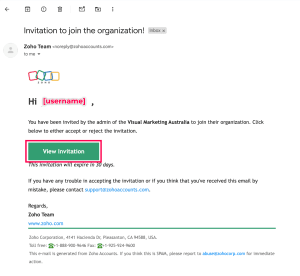
- You will receive an invitation email from Zoho Projects, the email should be sent from the project manager or the team.
- Click on the email to open it. The invitation will contain a link to join the project.

- Click on the link provided in the email. This link will redirect you to Zoho Projects sign-in or login page.
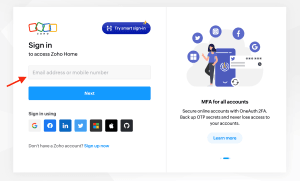
- If you already have a Zoho account, simply sign-in with your credentials.
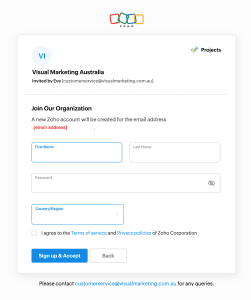
- If you don’t have a Zoho account, you will be prompted to create one.

- Log In:
- Use your credentials to log in to Zoho Projects at https://projects.zoho.com.

- Use your credentials to log in to Zoho Projects at https://projects.zoho.com.
- Start Using the Project:
- After you accept the invitation, you will be redirected to the project dashboard, where you start collaborating.